We prioritize the privacy and security of our users. We understand the significance of safeguarding your personal information and strive to provide a transparent and secure environment. This page outlines our commitment to user data safety, along with instructions on how to delete your account in compliance with Google Play policies.
Why Your Data Safety Matters to Us
For a better experience, while using our Service, we may require you to provide us with certain personally identifiable information, including but not limited to email, birthday, gender . The information that we request will be retained by us and used as described in this privacy policy.
- Trust and Transparency:
We value the trust you place in us and believe in being transparent about how your data is collected, used, and protected.
- Security Measures:
Our platform employs robust security measures to prevent unauthorized access, ensuring that your personal information remains confidential.
- Compliance with Regulations:
We adhere to the guidelines and policies set forth by Google Play and other regulatory bodies, prioritizing compliance with industry standards.
Deleting Your Account on check-in app
Following are the steps that you can use to delete your account on the app.
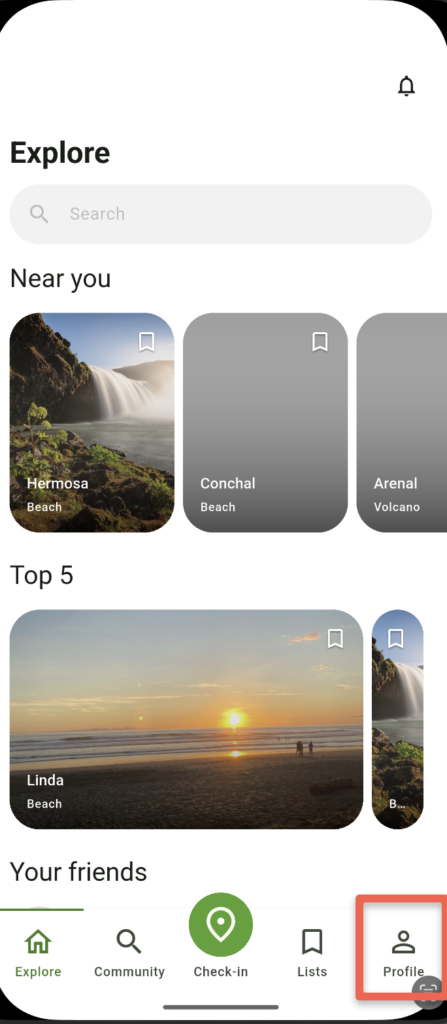
- Step 1: Navigate to Your Profile
Click on the ‘Profile’ tab from the home screen bottom section to access your user profile settings.
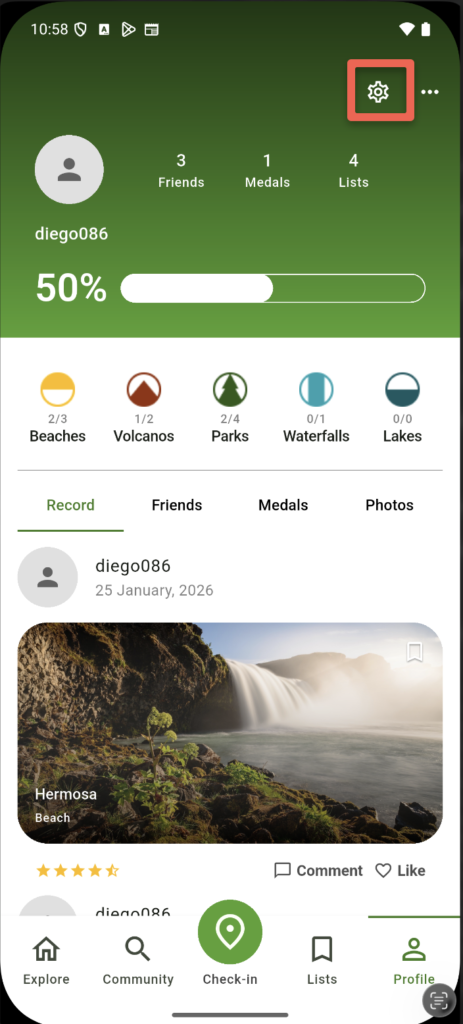
- Step 2: Manage Your Profile
Within your profile tab, locate the ‘Manage Profile’ button on top nav. Tapping it will open Manager Profile section.
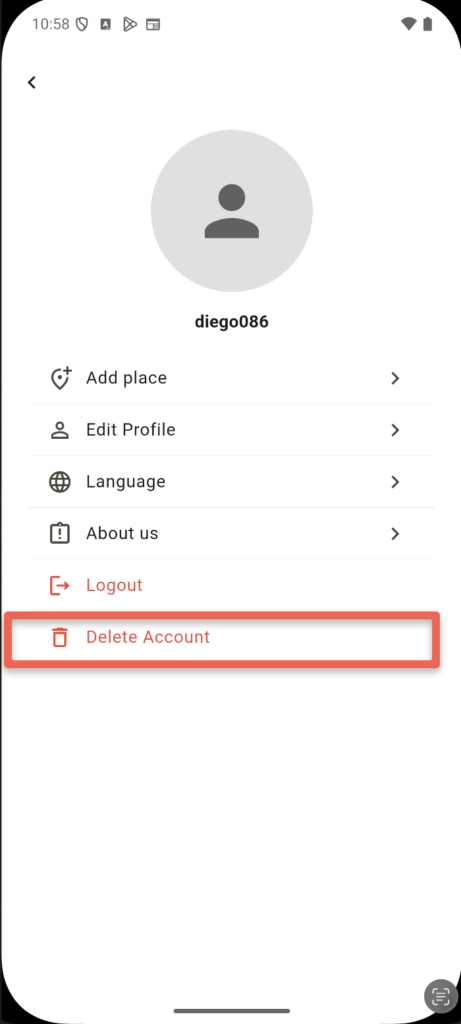
- Step 3: Delete My Account:
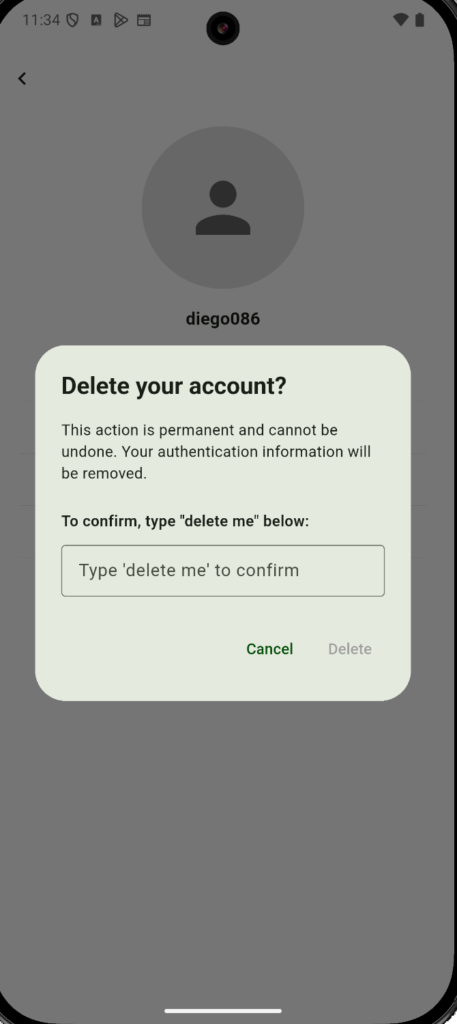
In the Manager Profile screen, press the red button titled ‘Delete My Account’ to initiate the account deletion process.
You can at any time delete these information about you on our website and mobile app. The screenshot below shows how you can access these options.